
Potty Whiz: Training App
Kidplay Technologies LLCParenting
4.2593.00 Reviews
- Version
- 5.3.74
- Installs
- 100.00K
- Age Rating
- Everyone
Screenshots

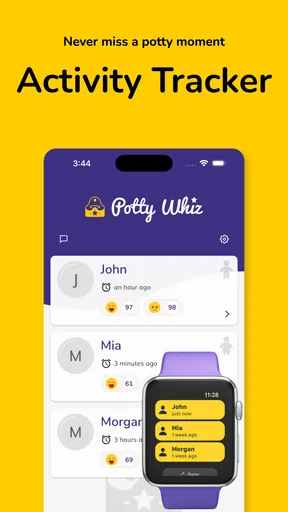
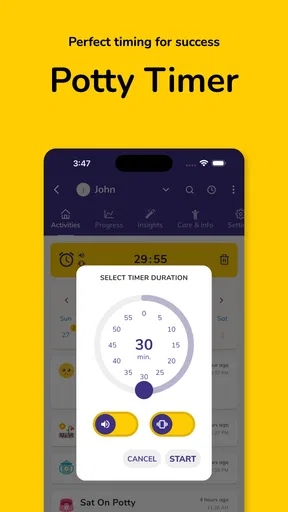
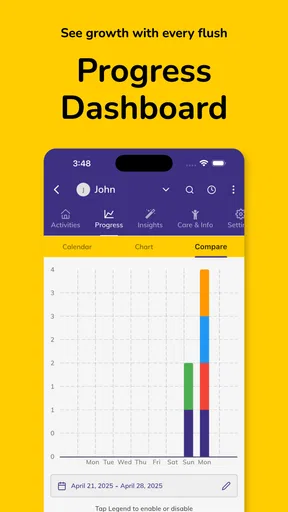

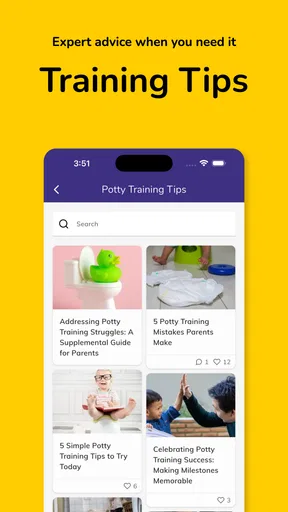

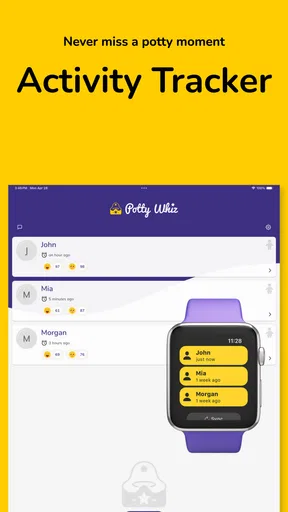
Our Review of Potty Whiz: Training App
 Analysis by Appyee
Potty training is one of those parenting jobs that can turn a normal day into a string of negotiations, reminders, accidents, and small victories. I tried Potty Whiz as a parenting app with that reality in mind, and my impression is that it works best as a gentle organizing tool rather than a magic solution. Its purpose is to help parents bring more structure to toilet training, while keeping the child involved instead of making the whole process feel like a timetable imposed by an adult.
The app is free to install, carries an Everyone age rating, and comes from Kidplay Technologies LLC. It has reached over one hundred thousand installs and holds a 4.2 average from around two thousand ratings, which suggests that many families find the general approach useful, although those figures should not be mistaken for a guarantee that every child will respond in the same way. The current version is 5.3.74, and optional purchases range from about two dollars to around thirty-five dollars per item.
What interested me most was not the cheerful promise of quick results, but whether the app could reduce the mental load for a parent. A good potty-training companion should help me notice patterns, choose a consistent routine, and encourage my child without turning every bathroom visit into a performance review. That is the standard I used here.
How Potty Whiz fits into real family routines
I use Potty Whiz most effectively as a small part of the day’s plan, not as something that needs constant attention. Before a busy stretch, I decide which routine cue would help and keep the phone in an adult’s hands; afterward, I look for a useful pattern rather than treating every entry as a verdict. That simple rhythm makes it easier to stay consistent while leaving room for the child’s mood and the realities of family life.
A calmer starting point than relying on memory
Many parents begin toilet training with good intentions and then discover how difficult it is to remember every detail while preparing meals, working, caring for another child, or leaving the house. I found the strongest value in treating the app as a shared routine prompt. Instead of asking myself vaguely whether my child had tried recently, I could use the training plan as a reason to pause and pay attention.
That distinction matters. The app cannot decide whether a child is physically or emotionally ready, and it should not replace a pediatrician when there are health concerns. What it can do is make the process more deliberate. I would use it to establish a rhythm, then adjust that rhythm around the child’s behavior rather than forcing the child to follow an inflexible schedule.
A realistic example is a weekday morning. A parent may be rushing through breakfast, helping with clothes, and trying to get out of the door. Potty Whiz is more useful when opened before the rush, during a quiet planning moment, rather than handed to a child as another distraction. I would use the app to decide which parts of the morning need a reminder, keep the language positive, and then put the phone away while helping the child in person.
That last step is important. A screen can support a routine, but it should not become the center of the routine. If a child starts waiting for a digital reward before cooperating, the parent may need to reduce the app’s role and emphasize praise, independence, and practical habits instead.
Designed for encouragement, not punishment
The tone is better suited to families who want potty training to feel encouraging. I would not approach it as a scoreboard in which accidents count as failures. Children develop at different speeds, and a system that makes them feel watched can create resistance. The most sensible use is to celebrate attempts, notice progress, and keep accidents emotionally neutral.
One useful habit is to separate the parent’s tracking from the child’s motivation. A parent may want a clear record of routines, while a child may respond better to a simple story, character, or verbal celebration. I would avoid showing every detail to a child who becomes anxious about results. The app can be part of the adult’s planning process without giving the child the impression that every bathroom visit is being judged.
This is also where expectations need to stay realistic. The store summary presents the app as a way to help a child become toilet trained quickly, but in my view, speed should not be the main measure of success. Sleep, travel, illness, constipation, sensory sensitivities, and changes at home can all affect progress. A parent who expects the app to remove those variables will probably be disappointed.
Who is likely to benefit most
I think Potty Whiz is most suitable for a parent starting training for the first time, especially someone who wants a ready-made structure instead of assembling reminders, charts, and encouragement ideas manually. It may also help when two caregivers need to follow the same general approach. Consistency between adults is often more valuable than having a large number of features.
It can be useful for families who already know their child is ready but keep losing momentum. In that situation, a dedicated app is easier to remember than scattered notes or a general calendar. The parenting category also makes its purpose clear: this is not a medical diagnostic tool or a general child-development platform. Its value depends on how thoughtfully it is used within everyday care.
I would be more cautious about recommending it to a family that wants detailed clinical guidance, highly specialized accessibility support, or a completely screen-free method. Parents who prefer paper charts may find that a simple homemade routine is less distracting and more flexible. Likewise, if the child reacts badly to rewards, reminders, or progress tracking, the better choice may be to use the app only privately or skip it altogether.
What the free model means in practice
The free entry point makes it easy to test the basic experience before deciding whether it fits your family. That is helpful because potty training styles vary so much. I would begin with the free version and observe whether it actually reduces stress over several days. If I found myself opening it repeatedly without changing how I support my child, paying for more content would not solve the underlying problem.
There are in-app purchases, with individual items priced from about two dollars to around thirty-five dollars. That wide range means I would review each purchase screen carefully before confirming anything, particularly if a child is using the phone. A child-friendly design can make optional content feel tempting, so account controls and purchase authentication deserve attention before handing over the device.
My practical advice is to keep purchasing under the parent’s control, decide in advance what kind of content would genuinely help, and avoid buying during a difficult training moment. Frustration can make any extra feature look like the missing answer. In reality, a purchase should improve convenience or engagement, not become a promise of faster development.
Trust begins with visible choices
When I review a parenting app, I pay attention to trust in a narrower, more useful way: what choices are visible, who controls them, and whether the app encourages a parent to stay in charge. Potty Whiz is handling a sensitive family topic, so I would take a careful look at its permission requests, privacy information, notification settings, and account controls before entering personal details.
I do not treat a bright design or a high rating as proof of good data practices. A rating of 4.2 from around two thousand ratings tells me that the app has attracted a meaningful user base, but it does not answer questions about permissions or information handling. Those decisions should be checked directly in the app and in the relevant store privacy sections.
In particular, I would avoid entering unnecessary identifying information about a child. A nickname or general profile label may be enough for a family’s routine, depending on what the app asks for. I would also check whether notifications can be limited, whether an account is required for the functions I want, and whether there is an obvious way to manage or remove stored information. If those controls are difficult to find, I would use the app more conservatively.
Sensitive moments deserve extra care
Potty training naturally produces sensitive notes: accidents, bowel habits, fears, refusals, and progress over time. Even when an app presents these details in a friendly way, I would treat them as private family information. I would not share screenshots casually, and I would keep the device protected with the phone’s normal security settings.
The most sensitive moment may not be setup; it may be handing the device to a child. Before doing that, I would check whether the child can reach settings, account areas, external content, or purchase screens. I would also decide whether the child needs direct access at all. In many families, the adult can manage the planning while the child receives encouragement face to face.
Another practical point is shared devices. If several children use the same phone or tablet, I would make sure the training information is clearly separated and that one child cannot accidentally alter another child’s routine. If the app does not make that separation comfortable, a parent-managed approach is safer than allowing independent navigation.
Keeping control with the parent
The app works best when it supports parental judgment rather than replacing it. I would use its prompts as suggestions, not commands. If my child is tired, ill, upset, or absorbed in an activity, forcing a scheduled attempt could damage trust for the sake of keeping a digital streak intact. The parent should be able to pause, change direction, or stop using the system without feeling that progress has been lost.
This is one of the less obvious trade-offs of any structured training app: organization can create confidence, but it can also create pressure. A routine that is helpful on a calm weekday may be unrealistic during a long car trip or family visit. I would plan for exceptions and explain them simply to the child. Flexibility is not failure; it is part of making the routine work in real life.
I would also avoid comparing siblings through the app. Even if the interface makes progress easy to view, each child’s development should remain personal. The app should help a parent notice what works for one child, not turn toilet training into a competition.
How it compares with ordinary alternatives
The usual alternatives are a sticker chart, a paper calendar, phone alarms, or advice from a parenting book. Potty Whiz has an advantage over paper when a parent wants prompts and a more guided experience in one place. It is also more focused than a general reminder app, because the entire purpose is tied to toilet training rather than a broad list of chores.
Paper still wins for simplicity, privacy, and child-led creativity. A homemade chart can be placed beside the bathroom, requires no battery, and can be adapted instantly when a child responds better to drawings than digital rewards. A general calendar may be preferable for caregivers who already have a reliable family system and do not want another specialized app.
My choice would depend on the family’s main problem. If the problem is forgetting the routine, Potty Whiz may be worth trying. If the problem is fear, pain, constipation, or strong resistance, a digital organizer is unlikely to address the real cause. In that case, calm support and professional advice are more appropriate than adding more reminders.
Small strategies that make the app more useful
First, I would use it during a short planning session rather than constantly checking the phone. Decide which moments matter, then return attention to the child. This reduces the risk of turning the app into a distraction and keeps the parent-child interaction central.
Second, I would look for patterns instead of chasing perfect compliance. If attempts go better after waking, before a bath, or when the child is not hurried, that observation is more valuable than a long run of completed entries. The app becomes a prompt for noticing context, not merely counting events.
Third, I would create a quiet backup routine for days when the phone is unavailable. A simple verbal cue or paper note can keep the child’s expectations stable during travel, low battery, or family outings. This prevents dependence on the app and makes the training approach more resilient.
Fourth, I would review the app’s settings with the child’s privacy in mind before adding details. Use the minimum information needed, check notification behavior, and secure purchases. These steps are easy to overlook because the subject feels domestic and harmless, yet bathroom-related information is still personal.
Finally, I would set a review point for myself after a week or two. Is the app making me calmer and more consistent, or am I spending more time managing the tool than helping my child? If it is not reducing friction, there is no reason to keep it central. A useful parenting app should earn its place in the routine.
My cautious recommendation
I see Potty Whiz as a reasonable free starting point for parents who want structure, encouragement, and a dedicated place to organize toilet training. Its broad Everyone rating makes it approachable for family use, and the current version shows that it remains an actively presented product. The developer is Kidplay Technologies LLC, and the app’s popularity gives it enough visibility to be worth considering rather than dismissing immediately.
Still, I would recommend it with boundaries. Start without paying, keep purchases parent-controlled, inspect permissions and privacy choices yourself, and do not enter more child information than necessary. Treat the routine as flexible, avoid using progress as pressure, and remember that an app cannot diagnose or resolve medical and emotional barriers.
For a parent who wants a digital companion to make daily consistency easier, this may be a helpful addition. For a family that prefers paper, wants specialist guidance, or has a child who becomes anxious around tracking and rewards, another approach may be kinder and more effective. The best result comes from using Potty Whiz as a quiet support for parental judgment, not as the authority over the child.
Verdict
Strengths of Potty Whiz: Training App
- Simple step-by-step guidance makes toilet training easier to organize.
- Helpful reminders can keep parents consistent with daily practice.
- Progress tracking offers motivation for children and caregivers.
- Suitable for families looking for a structured training routine.
- Digital guidance is convenient to access whenever support is needed.
Limitations of Potty Whiz: Training App
- Some features may require a subscription or in-app purchases.
- The approach may not suit every child's pace or personality.
- Reminders can feel repetitive during longer training periods.
- Limited personalization may be frustrating for families with unique needs.
- It should complement, not replace, advice from a pediatrician when problems arise.
Similar Picks in This Category
View All
Family Space
Motorola Mobility LLC.3.9

شرطة الأطفال - مكالمة وهمية
Oub Apps4.1

Findmykids: Parental Control
LETEM LTD4.6

Pregnancy + | Tracker App
Philips Electronics UK Limited4.8

Policía de niños - para padres
Kids police4.7

Pregnancy App
Amila4.9
Frequently Asked Questions
What is Potty Whiz: Training App, and who is it designed for?
Potty Whiz: Training App is intended to support parents and caregivers during the toilet-training stage. It can help families organize routines, record progress, and encourage children through positive reinforcement. The app is generally most useful for toddlers and preschool-aged children, although readiness varies from one child to another. It should be treated as a supportive planning tool rather than a replacement for parental guidance or professional medical advice.
How does Potty Whiz help with toilet training?
The app is designed to make potty training more structured and engaging by helping parents establish reminders, follow daily routines, and monitor milestones. Depending on the features available in your version, children may also respond well to visual progress indicators or reward-based encouragement. Consistency is important, but parents should still adapt the schedule to the child’s age, communication skills, comfort level, and individual signs of readiness.
Is Potty Whiz: Training App suitable for every child?
No single potty-training method works equally well for every child. Potty Whiz may be helpful for children who respond positively to routines, reminders, charts, and encouragement, but some children may find app-based rewards distracting or frustrating. Children with developmental differences, anxiety, constipation, frequent accidents, or difficulty using the toilet may require a more personalized approach and guidance from a pediatrician or qualified healthcare professional.
Does the app require an internet connection, an account, or in-app purchases?
The exact requirements can depend on the platform, app version, and features enabled by the developer. Before downloading, parents should review the current store listing to check whether Potty Whiz requires registration, an internet connection, subscriptions, advertisements, or optional in-app purchases. It is also worth checking the privacy information, especially because the app may be used alongside information about a child’s routines or training progress.
Can Potty Whiz replace advice from a parent, pediatrician, or childcare professional?
No. Potty Whiz should be used as an organizational and motivational aid, not as a medical or parenting authority. Parents and caregivers remain responsible for deciding when and how to begin training, observing the child’s behavior, and responding to setbacks with patience. If a child experiences pain, persistent constipation, unusual fear, repeated urinary problems, or prolonged difficulty, consult a pediatrician instead of relying solely on app recommendations.
